Plan and price
Import 2D ASCII DXF, PDF or image plans. Place 3D trade tools, organize drawing layers and mark up routes in every Planner package.
Explore plans and estimates →



Explore products & services → Request Ring installation →
Explore shared property and equipment records, request service and follow approved appointments and documents. Open your account to see the records shared with you.
TeckNation Connect is free. Optional alarm monitoring starts at $40/month. Camera access is quoted separately. Paid services are activated only after approval. A TeckNation Project Planner subscription is not required to use Connect.
Import 2D ASCII DXF, PDF or image plans. Place 3D trade tools, organize drawing layers and mark up routes in every Planner package.
Explore plans and estimates →TeckNation Teams Calendar brings eligible quote, bid and invoice dates together with service, installation and meeting dates. Linked appointments follow dispatch changes without duplicate bookings.
Explore the shared calendar →Use free TeckNation Connect to open shared documents and follow service work. Customers see their own authorized records; requested and proposed dates remain distinct from confirmed appointments.
Explore customer access →Organize HR, company administration and tax records and reporting records in every Planner package. Enterprise adds TeckNation AI, marketing tools, proposal playbooks and advanced operations.
Explore Company Marketing →$125 / hour
Service calls and installations for homes.
$150 / hour
Service calls and installations for businesses.
Remaining labor is due at completion, adjusted for actual hours and approved changes. Applicable tax is shown separately on the reviewed invoice.
These are TeckNation labor rates. Hardware, materials and project expenses are separate. Alarm monitoring starts at $40/month; camera access is quoted separately. TeckNation Connect remains free.
Sign in with an owner-approved account to view or change private properties, equipment, files and service requests. This public page is read-only.
Open shared directory →Private records and exports are available in your signed-in workspace. Previously saved browser information is not opened on this public page.
Your free customer hub for property details, service requests and customer documents.
Current conditions, local time and date.
Loading weather…
Sign in to see your current work and invoices in one place.

From the first installation to the next upgrade, keep the details close and your team closer.
Let’s take care of it ↗View live status and manage your system in your Alarm.com account.
Open Alarm.com ↗Live system status is not connected here.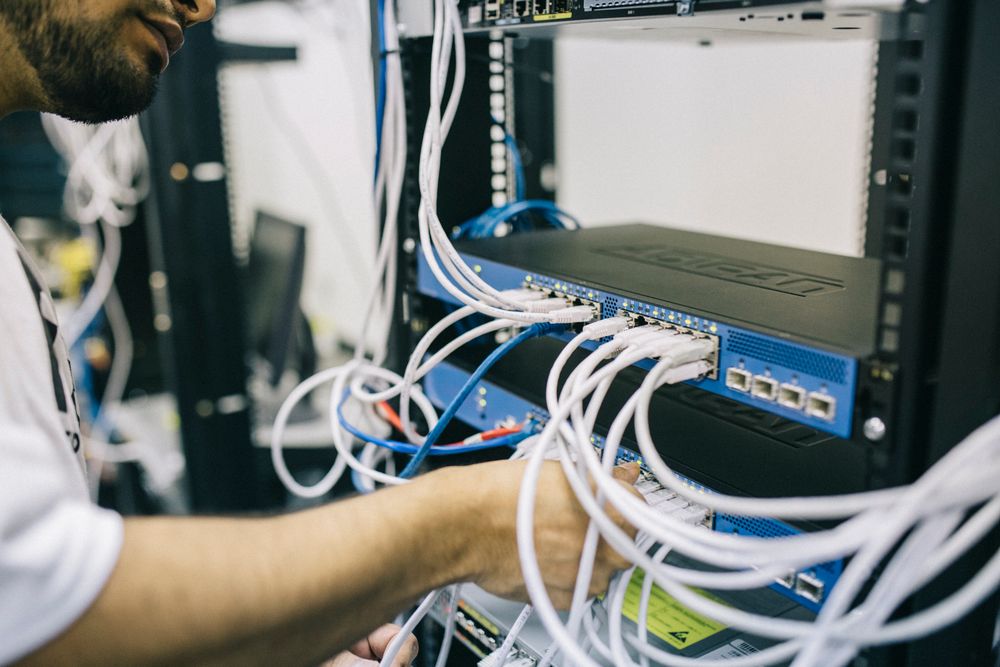
Access control, cameras, intrusion alarms, gates, data cabling and networking across Dallas–Fort Worth.
Explore TeckNation services ↗Sign in to see the service and installation tickets available to you.
Open connected workspace ↗Square checkout is available on eligible invoices. Payment details are entered securely with Square.
Sign in with the account named on your invoice to see your balance and payment options.
Open connected workspace ↗Use your Alarm.com account for current system status, arming, disarming, sensor activity and supported automations.
Open Alarm.com ↗Manage your alarm and check sensor status in Alarm.com. Connect does not issue alarm commands.
Manage supported alerts, system schedules and account settings in your security account.
Prepare a service request with the device name and the issue you are seeing.
Request service ↗Equipment records are your saved reference information. They do not report live device health.
Live video and recordings are accessed through your camera provider. No camera footage is displayed or recorded in Connect.
Open your security provider for available door controls. For access changes, new credentials or gate service, contact TeckNation.
Sign in to your customer account to submit service requests and track their progress.
Open secure service portal ↗Looking for an existing job? View your service calls and installations →
Tell us what you need. Review the draft, then send it through your email app.
 YOUR LOCAL TEAM
Installation, maintenance and upgrades for your home or business.
(972)777-5799Email TeckNation ↗For an emergency, call 911. Service requests are not monitored for emergencies.Sign in to your TeckNation Project Planner customer portal to view the documents and payment options your company has shared with you.
Open customer portal ↗Review shared scopes, equipment details and proposed work in your customer account.
Review your invoices and use the payment link supplied for your invoice.
Access the plans, photos and project information shared with your account.
Open your signed-in workspace to view your equipment directory and export a backup.
Connect workspace exports contain your saved property, equipment and service-draft information. They do not include documents from TeckNation Project Planner.
Changes made here in Connect. Security events remain in Alarm.com.
Use these details to prepare service requests more quickly.
Device saving is unavailable on this public page. Open your signed-in TeckNation Project Planner workspace to manage private records.
Private workspace changes and exports require sign-in in TeckNation Project Planner. Existing browser information remains untouched.
Work with searchable layers, connected routes, calibrated areas, revision snapshots and device details in your authorized TeckNation Project Planner workspace.
Explore U.S. Bank Avvance financing for eligible TeckNation residential IT, security, AV and smart home projects.

Subject to credit approval and program requirements. Review current terms with the lender.
TECKNATION BRAND PARTNERS
Explore TeckNation’s Alarm.com and Ring partnerships for your home or business. Our team can help you plan the right installation for your property.
TeckNation is an authorized Alarm.com dealer. Explore connected security and video solutions with installation and support from our team.
Visit our Alarm.com page ↗TeckNation is a Ring Authorized Partner. Ask TeckNation about video doorbells, cameras and installation for your property.
Explore Ring products ↗Available features depend on the selected devices and service plan. Ask our team about compatibility and any subscription requirements.
Find manufacturer-listed cameras, doorbells, access control, recorders and connected-property equipment by exact model.
Explore 79 model references →Explore the device and equipment brands available for your project. Call us to confirm compatibility, availability and pricing.






Browse all device brands & logos → · Explore the product directory →
TeckNation works with Southwest Dispatch Center for alarm monitoring. Monitoring starts at $40/month; your system and approved service scope determine the final quote.
Call TeckNation: (972) 777-5799 · About Southwest Dispatch ↗OUR TECHNOLOGY PARTNER
Alarm, video and connected protection devices, selected for your property.
Explore Ajax solutions →Included in TeckNation Project Planner Enterprise.
Explore the combined toolkit →AJAX · CONNECTED ON YOUR TERMS
Use the free Ajax app to check your system, arm or disarm, receive push notifications and view live video from compatible cameras over an internet connection. Basic Ajax Cloud connectivity and app self-monitoring do not require a paid professional monitoring subscription.
Professional alarm monitoring is optional, starting at $40/month through TeckNation — the same starting price as our Alarm.com monitoring. Add monitoring through Southwest Dispatch Center when you want a monitoring team to respond to alarm signals. System compatibility and the agreed service scope determine your final quote.
Live viewing and cloud recording are different. Optional Ajax Cloud Storage for recorded video is a separate paid service. Recording history requires compatible configured storage, such as an Ajax NVR or supported local storage; available options vary by camera. Equipment, installation, internet service, optional cellular/SIM service and other paid add-ons are separate. Self-monitoring does not include a monitoring station or emergency dispatch.
Explore AJAX systems · Discuss installation or optional monitoring: (972) 777-5799
Ajax apps · Video and recording options · Optional Ajax services